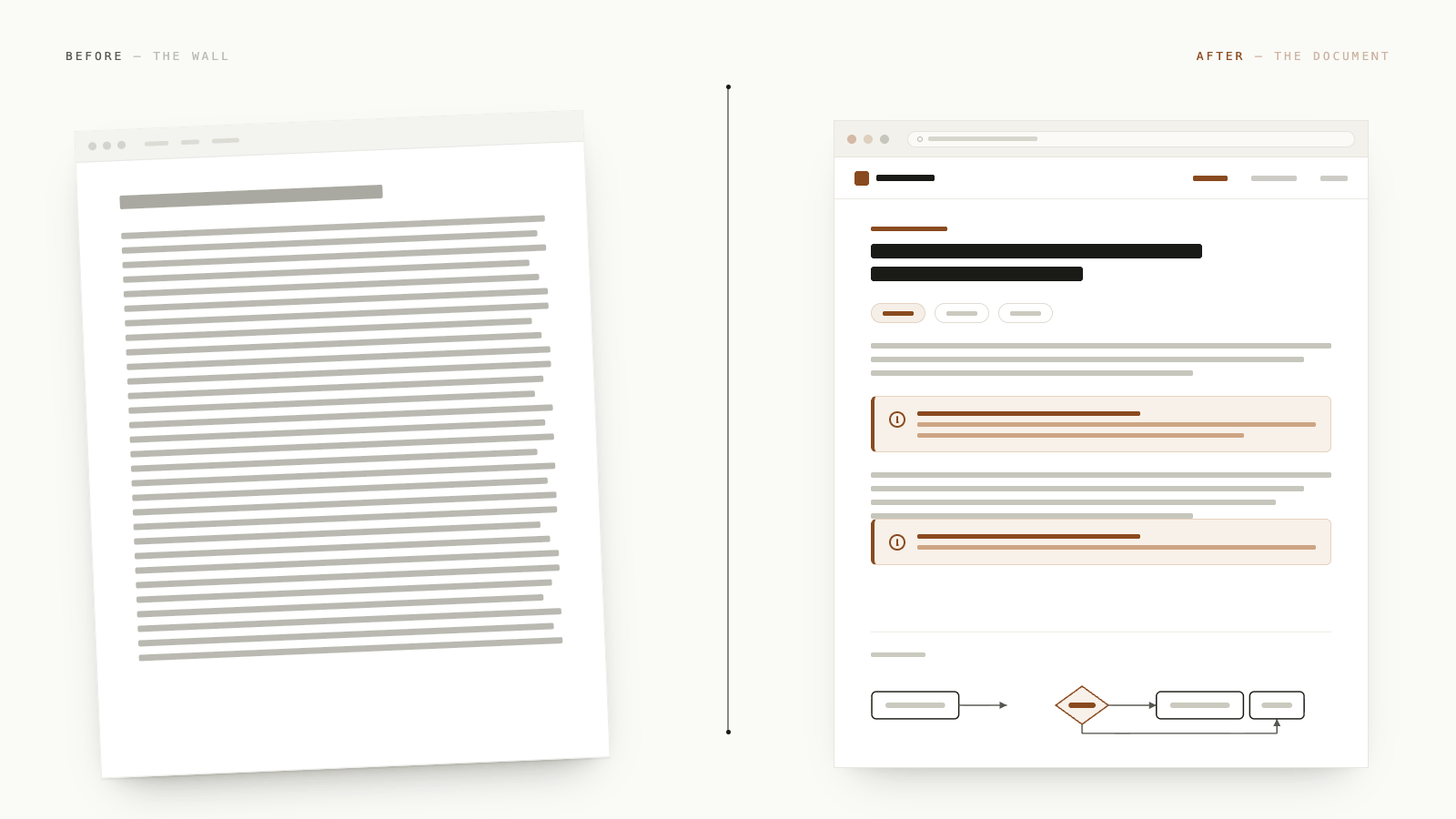
Here's How to Fix That.
There's a document every product team writes. Every quarter, every feature, every sprint kickoff, someone opens a new Notion page or a Google Doc and starts typing. Headers, bullet points, acceptance criteria, edge cases. The PRD.
And here's the uncomfortable truth most PMs quietly know: after you share it, very few people read it end to end. Engineers skim to find their section. Designers look for the wireframe description. Leadership glances at the TL;DR if you wrote one. The rest of it? It lives in a link no one clicks twice.
This is not a writing problem. It's a format problem. And AI gives us a way out, but only if we're willing to stop defaulting to the same format we've used for the last decade.
Why the Usual PRD Format Is Broken
The PRD-as-document tradition was built for a world where you wrote things yourself, shared them via email, and hoped people would print them out. A Google Doc or a Notion page is a fine format for meeting notes, quick changelogs, short briefs, things that are linear, short, and consumed by one person.
A PRD is none of those things.
A PRD has to carry: user context, problem framing, success metrics, user flows, edge cases, mockups (or at least intent), open questions, and dependency callouts, all for an audience that includes engineers, designers, QA, leadership, and sometimes sales. You're asking one linear document to speak to five completely different readers with five different questions in their heads.
Even a brilliantly written PRD in a beautifully organised Notion page gets abandoned halfway. It's not because your team doesn't care. It's because a wall of text is cognitively expensive to navigate. You know this. You've felt it on the receiving end too.
What AI Changes
The shift that's happened in the last year isn't just that AI can write faster. It's that AI can write differently, in formats that were previously too expensive to produce by hand.
Thariq Shihipar, an engineer on the Claude Code team at Anthropic, put it plainly in a post that the developer community hasn't stopped talking about: HTML is a radically better output format for anything a human needs to actually read. Not for internal config files or system logs, but for things like plans, specs, and reports that need to be understood by a real person.
His reasoning is practical, not aesthetic. HTML can do everything a Google Doc can (headers, formatting, lists) and it can also render tables that don't break at 30 rows, diagrams in SVG, interactive sections, color-coded callouts, tabs, and collapsible content. It's a richer canvas. And crucially, it opens in any browser, on any device, with zero rendering quirks and no login required.
Here's what that means for product: you can now generate a PRD that reads like a well-designed internal doc, not a wall of text, and it takes roughly the same effort as writing the wall of text.
What an HTML PRD Actually Looks Like
The example gallery Thariq published is worth spending 10 minutes with. These are real outputs from a real agent workflow, not polished templates. Just what you get when you tell Claude to output HTML instead of a flat document.
A few that map directly to PRD work:
Implementation Plan (16-implementation-plan.html) — milestones on a
visual timeline, a data-flow diagram, inline mockups, risky sections called
out, and a risk table. This is what a spec handoff looks like when the engineer
can actually see the structure at a glance rather than reconstruct it from
paragraphs.
Visual Design Directions (02-exploration-visual-designs.html) — instead
of describing three layout options in prose, the agent renders them side by
side. You point at one. Debate collapses. Alignment happens faster.
Feature Explainer (14-research-feature-explainer.html) — a TL;DR box at
the top, collapsible sections for different depths, tabbed content for
different audiences, and an FAQ at the bottom. This is the format for a complex
feature spec where different readers need to go different depths.
Ticket Triage Board (18-editor-triage-board.html) — a drag-and-drop board
for 30 tickets across Now / Next / Later / Cut, with a copy-as-text export
button. This is what roadmap prioritisation looks like when it's not a
spreadsheet.
None of these required a designer. They were generated by an agent given context and told to output HTML.
How to Actually Do This in Your PRD Process
You don't need a new tool. You need a small shift in how you prompt.
Step 1: Give the AI your messy notes, not a clean outline. This is where AI genuinely shines. Dump your research notes, your customer call recordings or transcripts, your competitor screenshots into the context. Ask it to make sense of the problem space before it writes anything.
A prompt like: "Here's everything I have on this feature. Read it, identify the core user problem, the assumptions we're making, and the open questions. Then build an HTML PRD that a PM, an engineer, and a designer could each get value from without reading the whole thing."
Step 2: Ask for structure that matches your readers, not a template. Most PRD templates are written top-to-bottom for one imaginary reader. Real PRDs have multiple audiences. Ask the AI to build with tabs, collapsible sections, or jump links so each reader gets to their section without wading through the rest.
Step 3: Ask for visuals to be generated, not described. The single biggest quality jump is replacing "user flow: user taps X, then Y, then Z" with an actual SVG flowchart. Ask for it explicitly: "Add an SVG diagram of the user journey." It takes one extra line in your prompt and removes an entire category of misinterpretation during build.
Step 4: Build in the open questions as first-class content. One of the most common failure modes in PRDs is that open questions are buried in a footnote at the bottom. Ask the AI to put them in a coloured callout box near the top, tagged with owner and deadline. This one thing makes review meetings more productive.
Step 5: End with an export button. If your PRD includes any interactive elements like draggable priority lists or config toggles, ask the AI to add a "Copy as text" or "Export" button so any decisions made inside the doc can flow back into Jira, or wherever your team tracks work.
A Prompt to Get You Started
Here's a starting prompt you can adapt directly:
I'm writing a PRD for [feature name]. Here's the context:
[paste your notes, research, customer quotes]

Please generate a complete HTML PRD that includes:
- A TL;DR box at the top (2-3 sentences, for leadership)
- Problem statement and user context
- Success metrics
- User flows as SVG diagrams
- Feature requirements organised with tabs for Engineering, Design, and QA
- Open questions in a highlighted callout, each with an owner field
- Out of scope section
- A timeline view with milestones

Make it visually navigable, with jump links at the top. Use clean, professional styling.
Output as a single self-contained HTML file.
The key words are: HTML, tabs or collapsible sections, SVG diagrams, single self-contained file.
What Your Team Actually Gets
When you share an HTML PRD link, a few things change immediately.
It opens in a browser with no login, no "request access" prompt, no formatting issues on mobile. The engineer jumps to the technical requirements section via the nav. The designer opens the visual directions tab. Leadership reads the TL;DR and the metrics box and decides in 30 seconds whether to dig deeper. QA finds the edge cases section, which is colour-coded differently from the main flow.
Nobody has to read the whole thing to get their value out of it. That's the point.
The document also becomes something people actually reference during build, not something they consult once and forget. Engineers link back to the flowchart when they have a question. Designers share the component variants section with stakeholders. The open questions section gets actual responses because it's visible and readable, not buried three scrolls down in a Google Doc.
A PRD that gets read is a PRD that does its job. The format is not a decoration. It is the work.
The Actual Blocker (and Why It's Smaller Than You Think)
The most common pushback is: "Our PRD lives in Google Docs. We can't just switch to HTML files."
You don't have to switch. Think of the HTML file as the shareable, readable version of your PRD, not a replacement for where you track work. Your Notion page or Google Doc stays as the source of truth, the place where comments live and where you link to Jira tickets. The HTML file is what you share when you need people to actually understand the thing you built.
You can upload it as an attachment to your Notion page, or host it for free on GitHub Pages and share the link. Anyone on any device can open it without an account. Drop the link in Slack alongside a one-line summary and the right people will click it.
Start Small
You don't have to rewrite your entire PRD process. Pick one upcoming spec, one new feature, one project kickoff doc. Gather your notes the way you always do. Then instead of formatting them yourself in Notion or Docs, prompt an AI to turn them into an HTML document.
Open it in your browser. See if it's more useful than your usual output. Share it with one engineer and one designer and ask them if it helped.
There's a good chance it will. And once you see it once, it's hard to go back to a Notion page that two people skim and six people ignore.
The format has been sitting there the whole time. We just needed AI to make it cheap enough to use.
Inspired by Thariq Shihipar's post on the unreasonable effectiveness of HTML and the example gallery that accompanied it.